DUTYCLOCK BY CREWREADY TECHNOLOGIES
A Clearer Way to Coordinate Your Department.
Volunteer fire department scheduling software shaped by firsthand experience in the fire service.
Built around the work behind every response.
DutyClock brings a practical approach to scheduling and personnel management for volunteer and combination fire departments. Start with your department’s needs, then walk through the current product with our team.
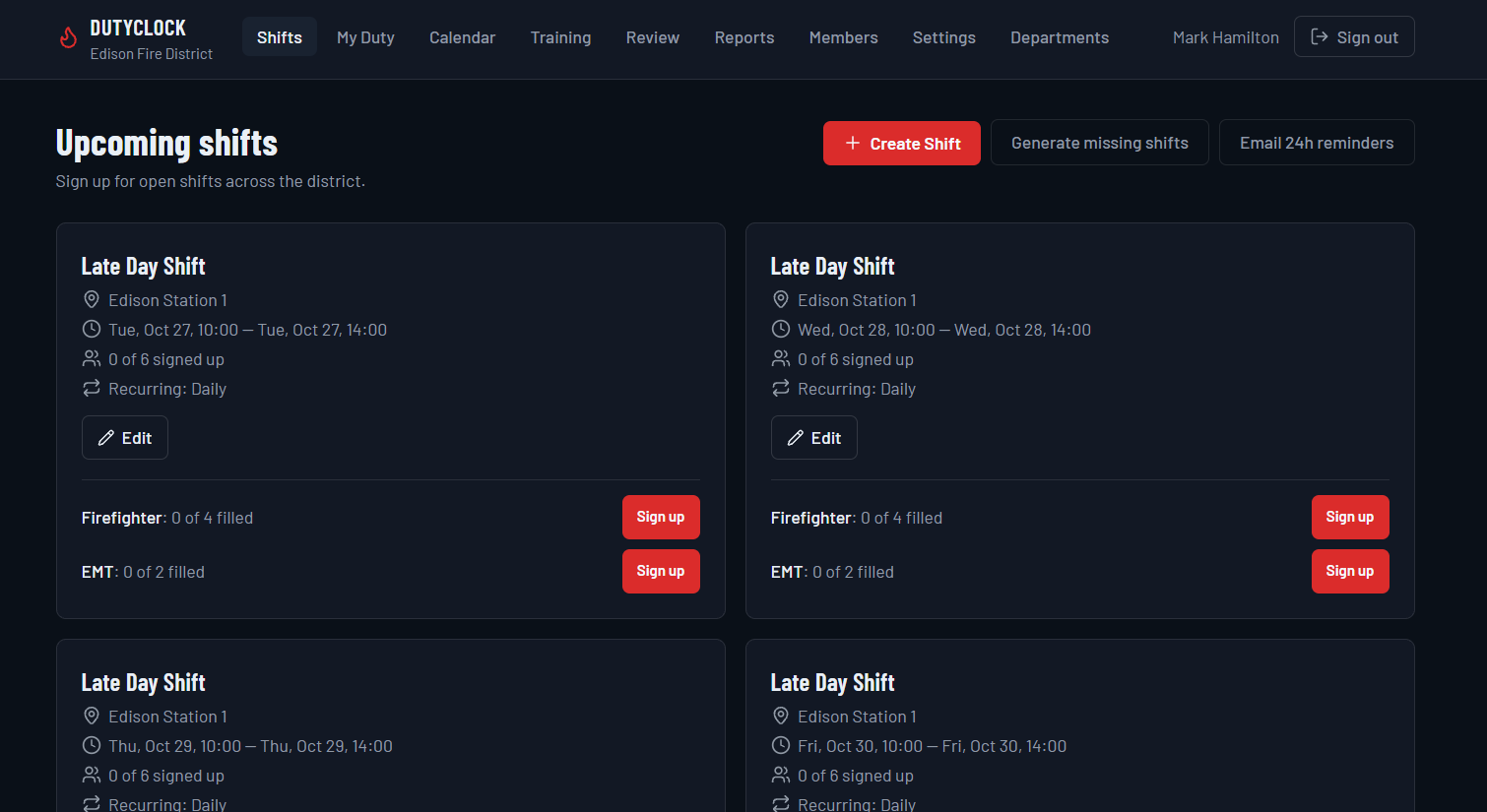
Plan shifts with your staffing needs in mind.
Shift Creation and Management
Create named duty shifts with dates, times, stations, and staffing requirements.
Recurring Shifts
Build recurring shifts daily, on weekdays, weekly, or monthly. Set an optional end date to control how long the series continues.
Role-Based Staffing Requirements
Specify required roles and the number of members needed, so staffing gaps are easy to see.
Member Self-Scheduling
Let members sign up for available shifts and see remaining openings by role.
Multiple Station Support
Organize duty shifts across multiple stations and let members participate where they are needed.
Personnel and Role Management
Keep personnel, roles, and qualifications organized with department administrator controls.
See Your Shifts and Staffing at a Glance

Keep participation and administration connected.
Duty-Hour Tracking
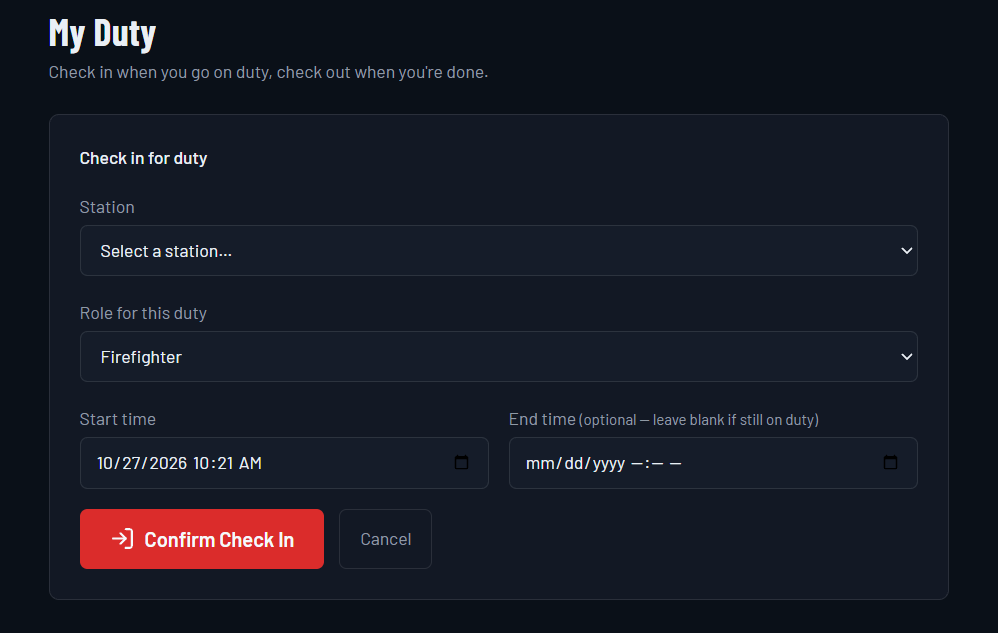
Record actual duty with check-in and check-out. Supervisors can correct entries when needed.
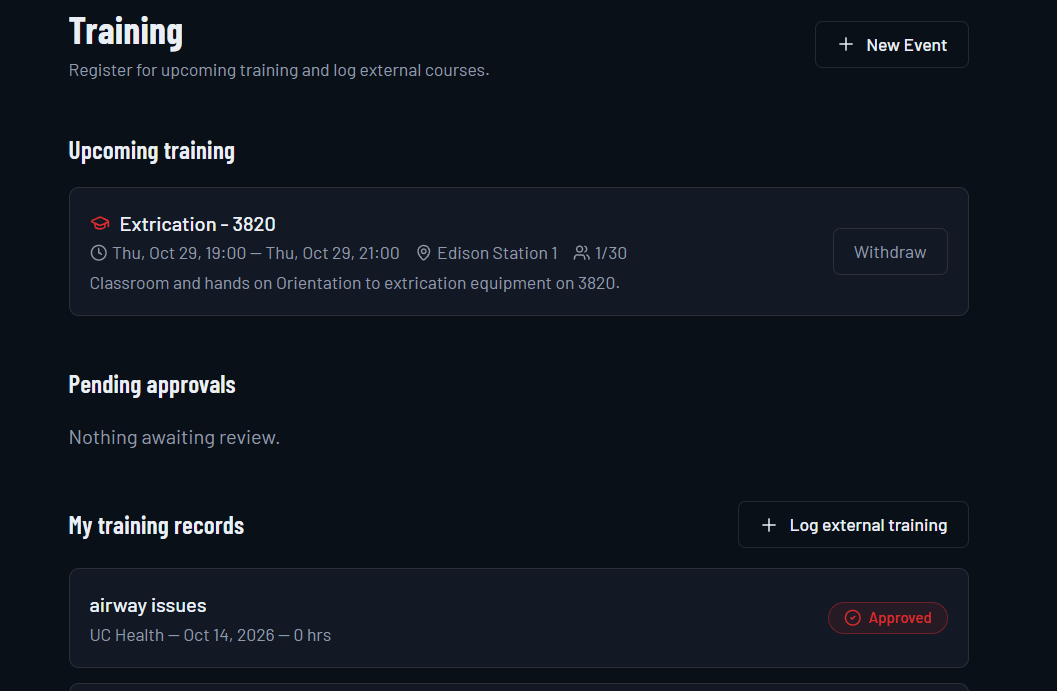
Training Records
The Training screen brings upcoming events, registration, external training entries, and approval status into view.
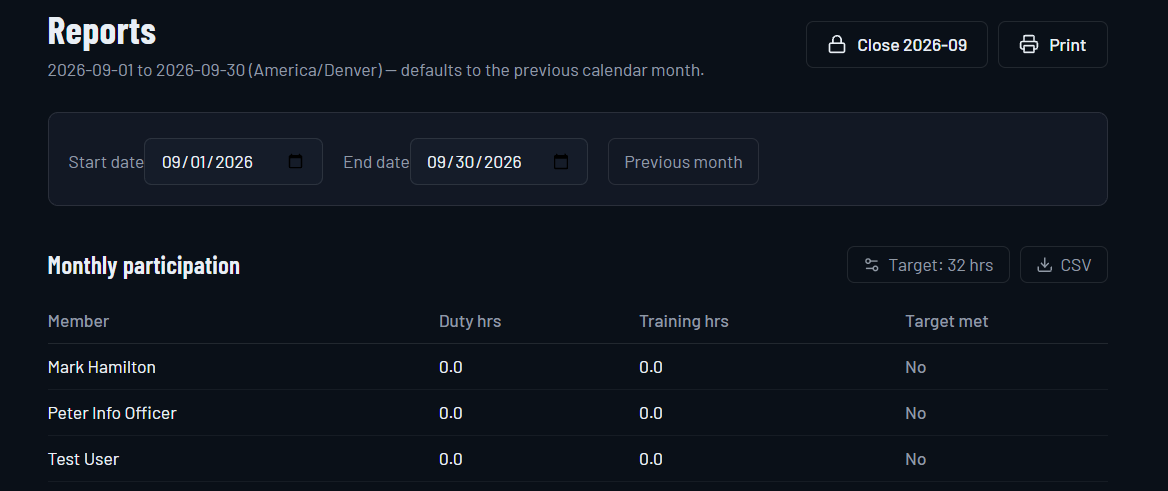
Reporting
Review member duty and training hours, station totals, and date-based reports. Export records as CSV for administrative review.
Department Management
Manage your department’s own users and records within a department-specific workspace.
Department-Specific Branding
Use your department’s name and logo to make DutyClock familiar to your members.
Mobile-Friendly Access
Access DutyClock through a mobile-friendly web browser on phones, tablets, and computers.
Bring Training and Participation into View
How DutyClock Works
1. Set up your department.
2. Configure stations and personnel.
3. Create duty shifts.
4. Let members sign up.
5. Track hours and review reports.
Simple Software. Pricing Built Around Your Department.
Contact CrewReady Technologies to discuss DutyClock and find the right solution for your department.
Frequently Asked Questions
Is DutyClock designed for volunteer fire departments?
Yes. Volunteer and combination fire departments are CrewReady’s primary market.
Can it support multiple stations, member signup, and recurring shifts?
Yes. DutyClock supports multiple stations, member shift signup, and daily, weekday, weekly, or monthly recurring shifts.
Can it track duty hours and let departments manage their users?
Yes. Members can check in and out for duty, supervisors can correct records, and department administrators can manage their users.
Can departments use their own name and logo?
Yes. Departments can use their own name and logo.
Does DutyClock work on smartphones?
Yes. DutyClock provides mobile-friendly browser access.
How do we request a demonstration?
Use our Request a Demo page or email sales@crewreadytech.com.
Ready to Simplify Your Department’s Scheduling?
Let’s talk about your department, your stations, and the way your members serve.

